Automate Your RD Work.
Save Hours Every Day.
Eliminate manual portal errors. Generate massive schedules for 20,000+ amount, compute exact default fines in real time, and batch update ASLAAS records directly from your mobile phone.
Available on Google Play • Android 8.0 or Higher
Engineered for Speed & Simplicity
Take a preview look inside the RD Master workspace.
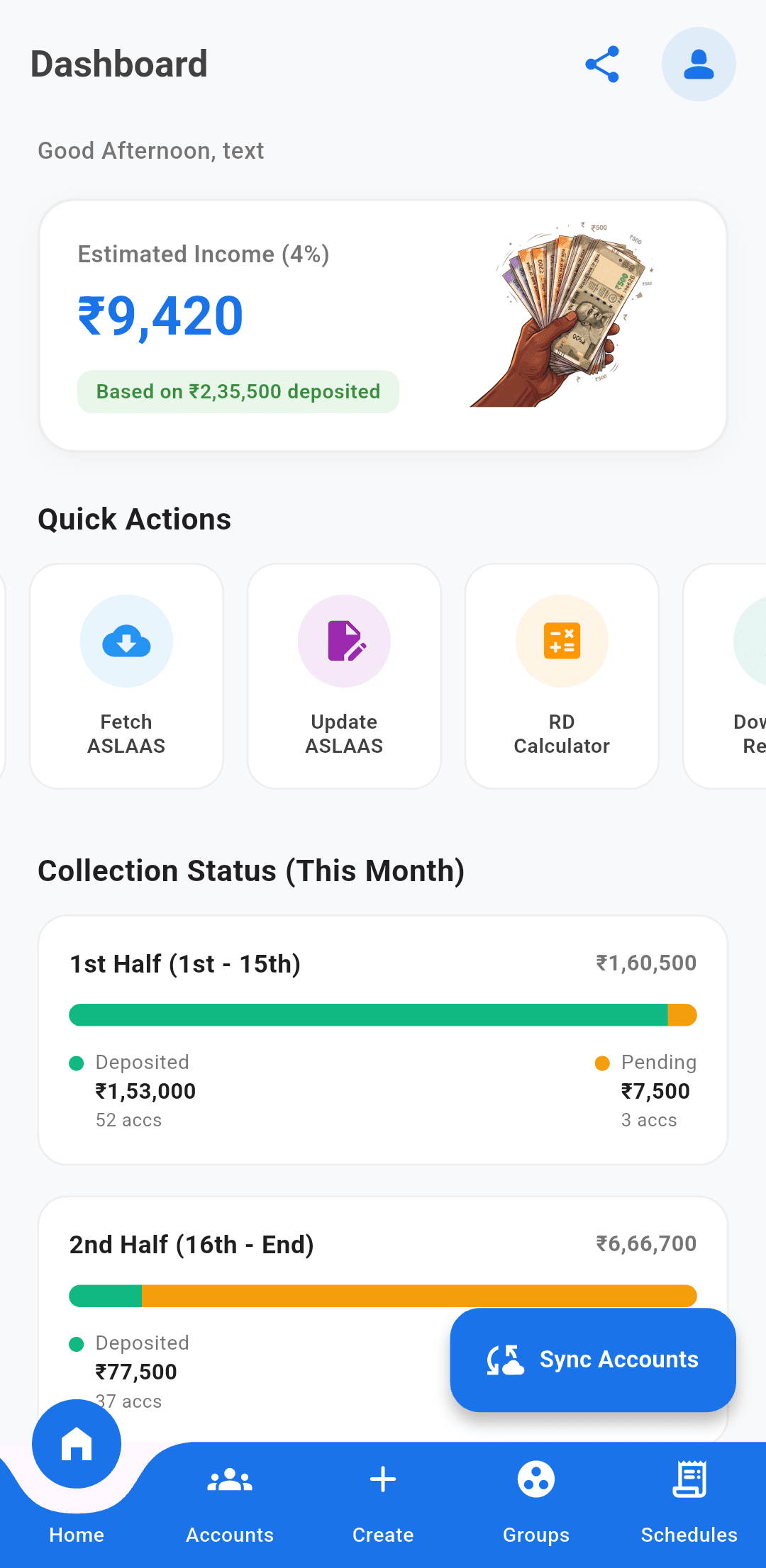
Intuitive Agent Dashboard
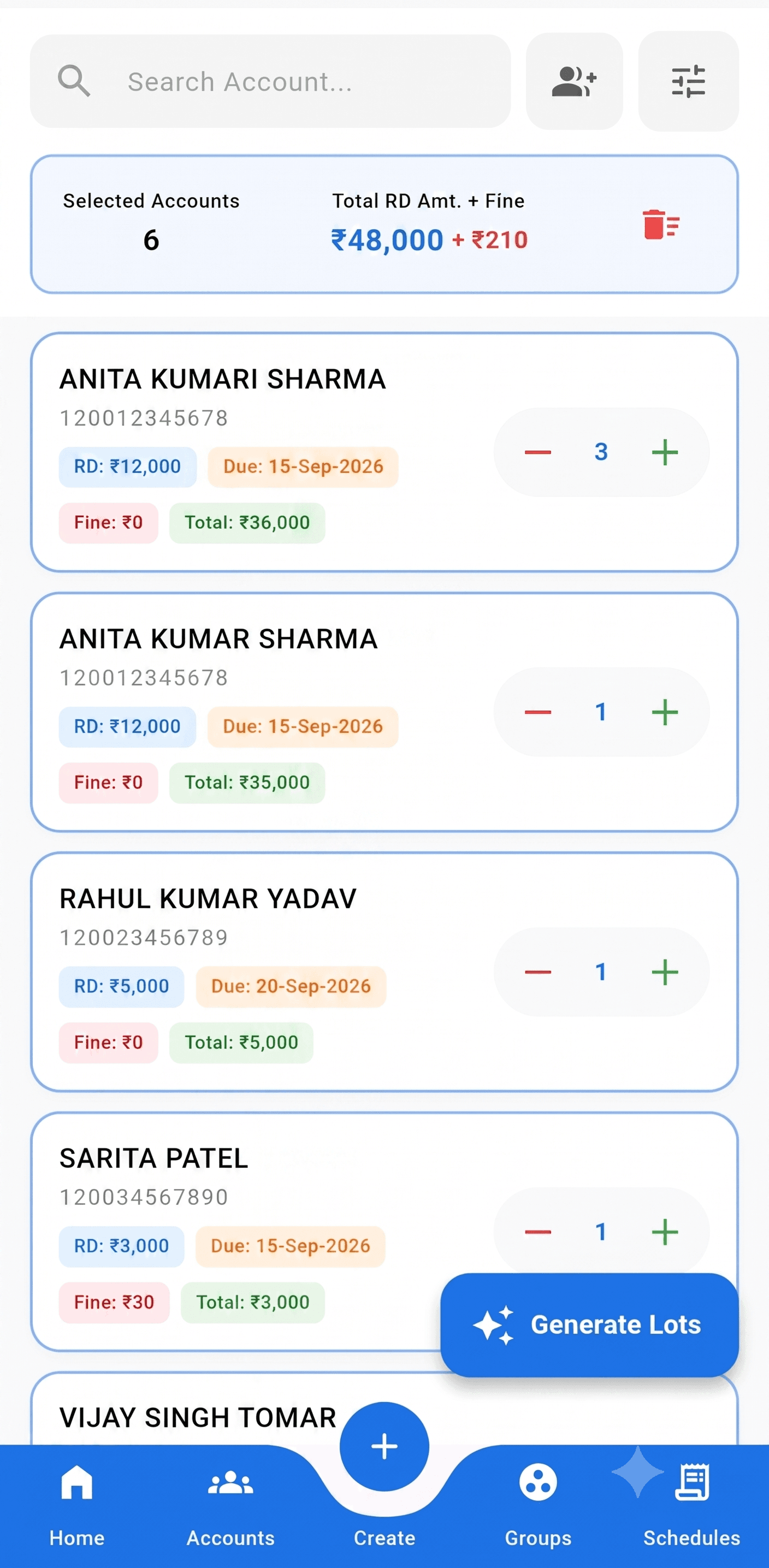
20,000+ Schedule Generator
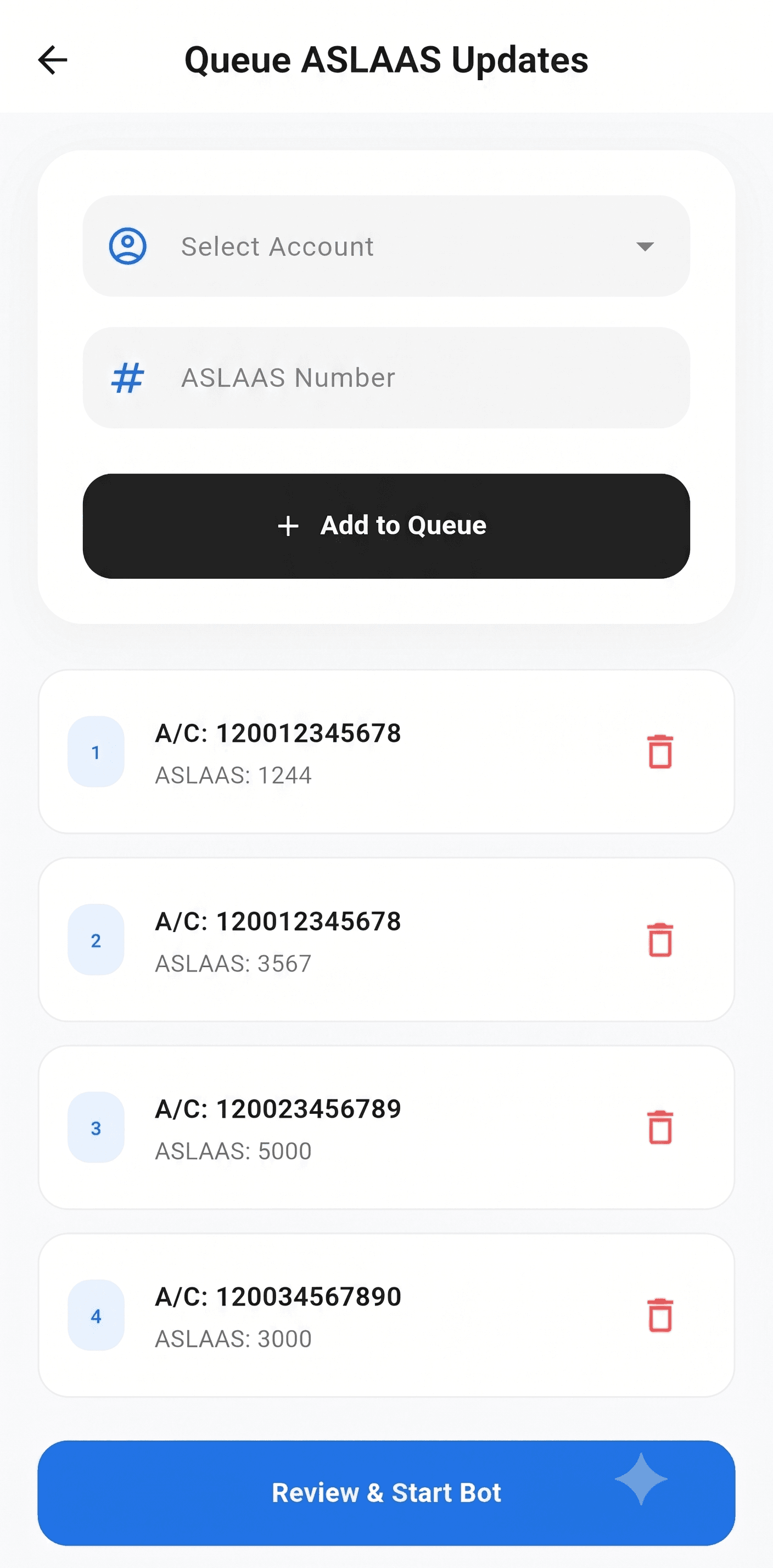
One-Click Account Sync
Everything You Need to Run Your Agency
Built from the ground up to eliminate tedious portal tasks and maximize your daily productivity.
Automated Account Sync
Securely connect and fetch your entire RD account portfolio directly from the DOP portal in seconds.
Massive Schedule Generation
Process and generate error-free schedules for over 20,000 accounts seamlessly without freezing.
Real-Time Fine Calculation
Automatically calculate exact default penalties for missed months to ensure 100% schedule accuracy.
Smart Account Grouping
Organize accounts by collection routes, families, or payment dates for fast, one-tap batch processing.
Batch ASLAAS Update
Update ASLAAS numbers across multiple RD accounts simultaneously with a single automated click.
Smart RD Calculator
Quickly calculate maturity values, total deposit interest, and customized investment projections for clients.
Advanced PDF Export
Filter accounts by status, date, or balance and export organized, professional PDF reports to your device.
Real-Time Analytics
Track your monthly agent earnings, active portfolios, and collection metrics in real time.
Learn How to Use RD Master
Watch our step-by-step video walk-through or download the PDF guide.
Complete Application Walkthrough
Learn how to configure bot credentials, extract accounts, generate large batch schedules, and export reports.
Official PDF Guide
Prefer reading? Download our illustrated manual covering portal permissions, fine tables, and security lock setup.
Quick Requirements
- Valid DOP Agent Portal Credentials
- Active Internet Connection for Bot Sync
- Android OS 8.0 or Higher
Bank-Grade On-Device Security
Your clients' financial data is highly confidential. RD Master utilizes multi-layered cryptographic obfuscation, device-bound integrity checks, and biometrics to safeguard your workflow.
How to Install RD Master
Follow these 4 simple steps to install the app securely from the Google Play Store.
Tap the 'Download App' button above to open the Google Play Store.
Tap the 'Install' button on the RD Master app page.
Wait for the app to download and install automatically.
Open RD Master, log in, and start automating your agency workflow.
Dedicated Agent Support
Need assistance with onboarding, subscription renewal, or schedule generation?